 English (Canada)
 Dansk
Dansk Deutsch
 English
 English (UK)
 Español
 Francais
 Italiano
 Magyar
 Nederlands
 Norsk
Norsk Polski
 Português (Brasil)
 Pycckui
 Suomi
Suomi Svenska
 עברית
עברית العربية
 日本语
日本语 繁體中文
繁體中文 한국어
한국어
Does cat7 work with cat 5?
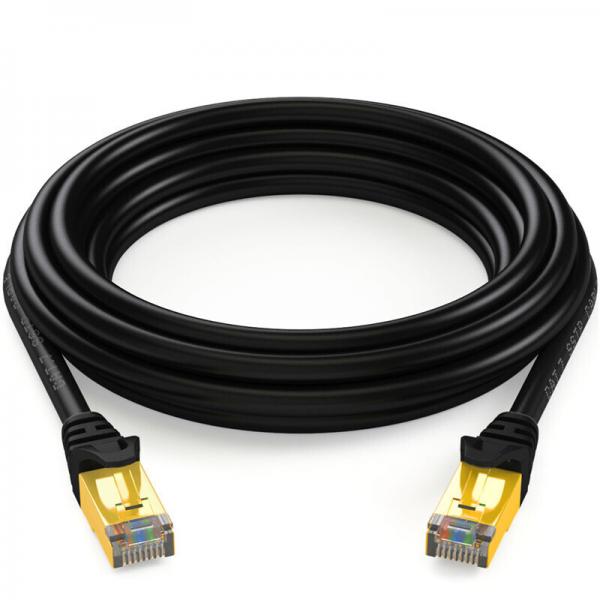
In the world of networking, understanding the differences and compatibilities between various types of Ethernet cables is crucial for setting up an efficient and reliable network. When considering whether Cat7 cables work with Cat5, it's important to delve into the specifications, performance capabilities, and physical characteristics of these cable types to determine their interoperability.
Understanding Ethernet Cable Categories
Ethernet cables are categorized based on their performance specifications, which include parameters like bandwidth, data transfer speed, and shielding. The category number (e.g., Cat5, Cat6, Cat7) indicates the generation and performance level of the cable.
Cat5 Cables
Cat5 cables, also known as Category 5, were once the standard for Ethernet networks. They support data transfer speeds up to 100 Mbps and a bandwidth of 100 MHz. Cat5 cables are typically unshielded twisted pair (UTP) cables, which means they lack additional shielding to protect against electromagnetic interference (EMI). Due to their limited performance capabilities, Cat5 cables are considered outdated for modern high-speed networks.
Cat7 Cables
Cat7 cables, or Category 7, represent a more advanced generation of Ethernet cables. They are designed to support data transfer speeds up to 10 Gbps and a bandwidth of 600 MHz. Unlike Cat5 cables, Cat7 cables are shielded twisted pair (STP) cables, which means they have additional shielding to reduce EMI and crosstalk. This makes Cat7 cables suitable for environments with high interference and for applications requiring higher data rates.
Compatibility and Interoperability
When considering the compatibility between Cat7 and Cat5 cables, it's important to understand that Ethernet cables are backward compatible. This means that a higher category cable can be used in place of a lower category cable, but the network will operate at the performance level of the lowest category in use. Therefore, if you connect a Cat7 cable to a network that includes Cat5 cables, the network will operate at Cat5 speeds and bandwidth.
Physical Connectors
Another aspect of compatibility is the physical connectors used by these cables. Both Cat5 and Cat7 cables use the RJ45 connector, which is the standard connector for Ethernet cables. This means that you can physically connect a Cat7 cable to a device or network that uses Cat5 cables without any issues. However, the overall network performance will still be limited by the Cat5 specifications.
Practical Considerations
-
Network Requirements: Assess your network requirements before deciding on cable types. If your network only requires speeds up to 100 Mbps, using Cat5 cables might be sufficient. However, for future-proofing and higher performance, Cat6 or Cat7 cables might be a better investment.
-
Cost Considerations: Cat7 cables are generally more expensive than Cat5 cables due to their advanced specifications and shielding. Consider whether the additional cost is justified based on your current and anticipated network needs.
-
Cable Length: Ethernet cable performance can degrade over long distances. While Cat5 cables are typically limited to 100 meters, Cat7 cables can maintain higher performance over the same distance due to their superior shielding and specifications.
-
Installation Environment: If your network environment has high levels of EMI, such as in industrial settings, the shielding in Cat7 cables can provide more reliable performance compared to unshielded Cat5 cables.
-
Future-Proofing: Investing in higher category cables like Cat7 can provide better longevity for your network infrastructure, allowing you to upgrade other components in the future without needing to replace the cabling.
Conclusion
In summary, Cat7 cables can be used in networks that include Cat5 cables, but the overall performance will be limited to the capabilities of the Cat5 cables. Both cable types use the same RJ45 connectors, ensuring physical compatibility. However, for optimal network performance, especially in environments with high interference or for networks requiring higher data rates, upgrading to Cat6 or Cat7 cables is advisable. When planning a network, consider your current and future requirements, installation environment, and budget to make an informed decision about which cable types to use.


